The other day, I was trying to make an Excel for planning the tasks for about 5 people.. I havnt finished that yet, but in the process I got to explore something new in Excel and I thought I will share with you..
If you are Excel guru, this may be simple, but that was not the case for me!
I wanted to add N working days to a given date.. that means it should automatically account for the weekend days that come in between.. I searched the standard functions, and I couldnt find one. So i started making a custom function for the same, which i havent had a clue for. But thanks to the Internet and Google Group, I got the fundas of making one.. now the logic.. I got one and looked ok.. I posted that on the Google Group and was pointed out couple of bugs..
So this the out put.. It takes the Starting date, No of working days and (an optional) no of holidays in between.
--
Here is how it works..
A1: Sept 5, 2006
A2: 5
A3: 2
A4: =addworkdays(A1, A2) Result : Sep 11, 2006
A4: =addwrokdays(A1, A2, A3) Result : Sep 13, 2006
--
Here is the code..
if you may need it, copy the portion in Italics. In your excel, press Alt+F11, Insert->Module (if necessary), paste the code in Module and thats it..
Start using the function..
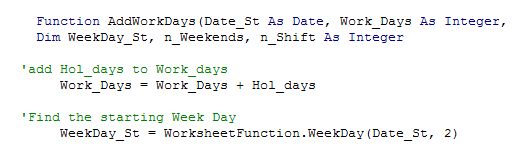
Function AddWorkDays(Date_St As Date, Work_Days As Integer, Optional Hol_days As Integer) As Date
Dim WeekDay_St, n_Weekends, n_Shift As Integer
'add Hol_days to Work_days
Work_Days = Work_Days + Hol_days
'Find the starting Week Day
WeekDay_St = WorksheetFunction.WeekDay(Date_St, 2)
'if sunday set as saturday
If (WeekDay_St = 7) Then
WeekDay_St = 6
End If
'Find the number of Weekends in between and calc no of days to add.
n_Weekends = WorksheetFunction.Ceiling((WeekDay_St + Work_Days - 1) / 5, 1) - 1
n_Shift = n_Weekends * 2 + Work_Days - 1
'Retun the final date
AddWorkDays = Date_St + n_Shift
End Function
Interestingly, thru Google Group, I came to know that there is a similar function in Excel already as WORKDAY. It is not part of the regular functions, but is included as an Add-Ins..
Tools-> Add-Ins and check the Analzsis Tool Pack. You may have to insert the CD. Not only this, but there are a whole lot of other functions as well. You can also add other Add-In.
So I created my Add-In. To do that, paste the code in a fresh workbook or File. Save as Excel Add-in (*.xla) to the Addins folder so that it gets loaded everytime.
But there are a few differences between my function (Addworkdays) and standard (Workday).. No, not only the name! :)
- WORKDAY may not function properly if the Start date is a weekend..
- WORKDAY needs dates as holidays and not numbers..
Although we all may curse Microsoft for the bad side of it, MS Excel is such a wonderful tool.. Its an Iceburg and most of us are satisfied with the TIP of it.. There will always be something to learn..
In the end, I chose to retain my function for my use boz of the differences..
And it was kind of satisfactory to find something new, evenif it is not Rocket science!
And if I can be of help related to this, pls let me know..
Click here to know more about Creating Custom Function..
.